
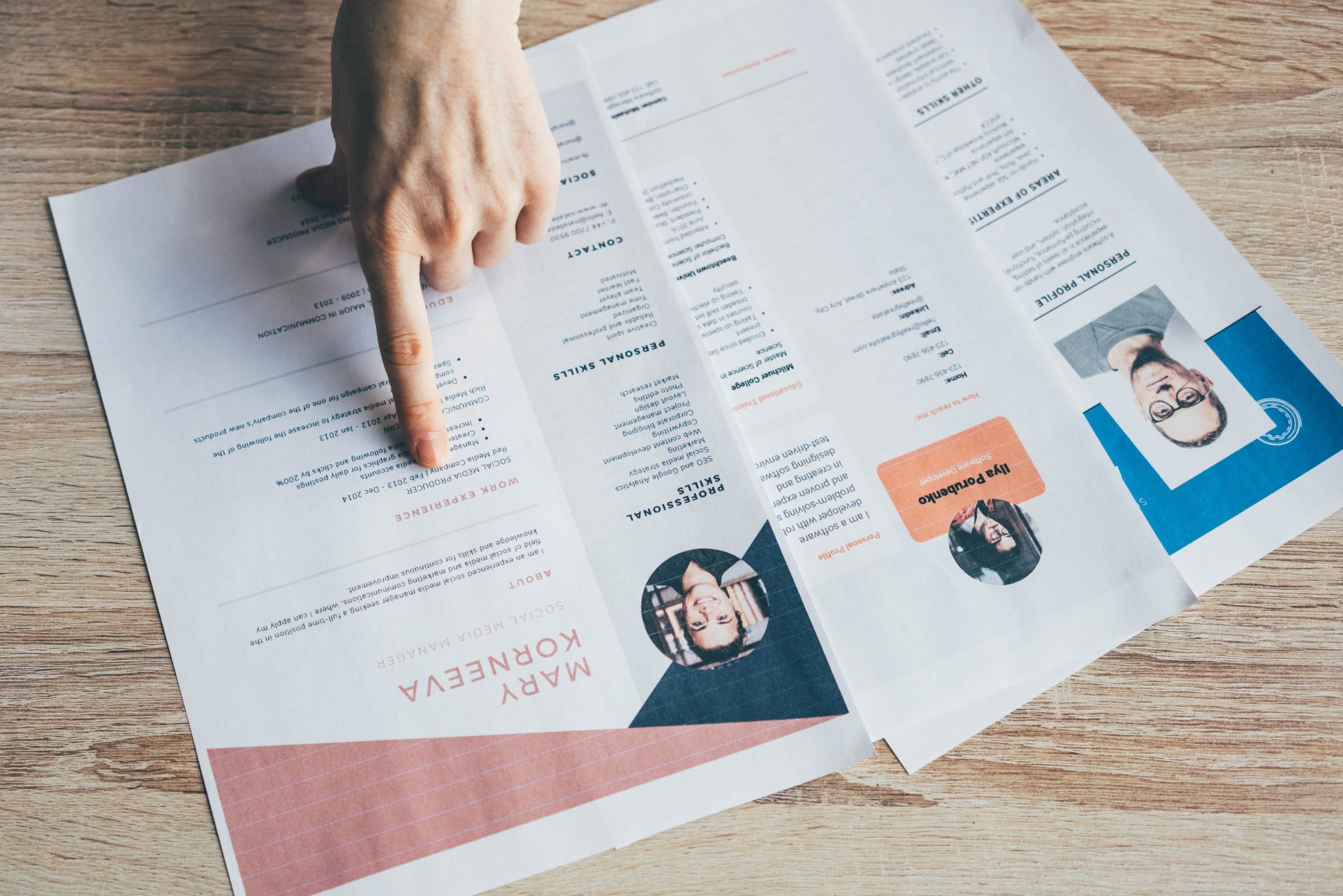

Did you know that 70% of Cvs get rejected by the ATS before they reach the recruiter’s hand? Don’t want to be one of them? Pay attention to your CV format!
- Best CV Format for Jobs in 2023!
- Your basic CV format should include these details:
- Visually Appealing & Well-Designed CV Templates to Help You! (Template of Resume)
Last Reviewed: April 2026 | Sources: DrJobPro Hiring Data Q1 2026.
So, how to tailor your resume to get the jobs? What’s the best CV format? And how to ensure creating a professional CV?
In this guide, you’ll find answers to all the questions that pop into your mind while formatting your CV with 2023 CV templates that you can use instantly.
Best CV Format for Jobs in 2023!
Your basic CV format should include these details:
So, how to professionally write each section of your
CV to ensure having a job-winning CV format? Continue reading!
1 Your Contact Details Section Should Provide this Info:
- Full name
- Job title
- Email address
- Mobile number
- LinkedIn account URL
- Location
2 Objectives
Your objectives or summary section is a short paragraph of
100 words max that comes at the top of your CV as a hook that sheds light on
your qualifications and achievements.
It must be a reply to the recruiters’ question, “why
should he be an ideal candidate?” use the job description keywords
highlighting your selling points to showcase that your experience will benefit
the company and you’ll be an asset.
Whatever choice suits you, don’t concentrate only on what
you expect from the workplace. Alternatively, accentuate your strengths.
As an example:
Competent, qualified CSR trained to work in high-stress
situations and remain calm under duress. Looking to use careful record-keeping
and analytical talents to Vodafone UK with their prominent customers’ database.
3Work Experience
- Start with your recent
employer and end with your first one! - List your experiences
chronologically! - Mention the job title,
company name, and dates of working there! - List your responsibilities
in bullet points! - Use numbers as much as you
can, Numbers matter!
4 Educational Background
- Keep your educational
background section as brief as much! - Don’t mention your
high-school degree if you already have a bachelor’s degree! - Mention your degree,
college name, university name, and graduation year! - Mention your major and
degree! - Mention your sub-honors (if
appropriate) (if applicable)!
If you don’t have a vast experience background, reorder your
CV format to mention your education details first.
5 Skills
- List down your skills into hard
and soft skills! - Tailor your skills to every
job description, and don’t forget to insert the keywords! - Spread your skills within
your summary and work experience sections!
6 Other Sections
If you’ve participated in any activities relevant to your
career that don’t fit into any of the above sections, list them in different
sections of your CV. Some CV examples of such sections include:
If you have other achievements or details that you need
to mention but don’t fit into any of the above sections, you can create the
following sections:
- Awards
- Achievements
- Publications
- Affiliations Professional
- Attendance at Conferences
- Additional Details
The details mentioned above are ideal for a basic
professional CV that is chronologically arranged. Still, when it comes to
“Skills CV” or “Functional CVs,” some changes may pop up.
The game ends if recruiters can’t quickly derive the most
vital details about your abilities and knowledge. Thus—
How Should the Ideal CV Be Formatted?
- Set 1-inch margins on all
sides. - Use 1.0 or 1.15 line
spacing. - Choose a professional
typeface for your CV. - Create a professional CV
header format for your contact details. - Divide your CV into clear
sections: Contact Information, Summary, Professional Background, Education,
Skills, and Additional Information. - Make section headings
slightly larger than the rest of the contents. - Before and after each
heading, add a blank line. - Save your CV in PDF to keep
your layout unified.
Following these tips will help you ensure having a visually
appealing CV. Employers will appreciate a well-organized format, and you will
increase your odds of beating the Applicant Tracking Software (ATS).
Visually Appealing & Well-Designed CV Templates to Help You! (Template of Resume)
To help you easily create your CV with less effort, Dr.Job
will provide a list of editable CV formats that you can download, update, and use
as your ATS-tailored CV version.
Get rid of your Word files in wrong formats, tricky laying
out, and inaccurate content!
Check our ready-to-use templates, fill out your details, and
get your tailored CV in no time.
Student CV Template – #1 CV Format for Students
The below template is ideal for student jobs since it
mentions your education, experience, and contact details>
Professional CV Template – #1 CV Format for Professionals
(Simple Resume Form)
It’s the ideal resume format for fresh graduates and
professionals looking for entry-level job opportunities. A straightforward CV
structure that provides all of the necessary information appears at a
touch. Using a lot of white space will make this easy on recruiters’ eyes (and
they’ll appreciate you).
Modern CV Template – Best CV Format for 2023
Sales CV Template – #1 CV Format for Sales
Which is better in 2023: a skills-based or traditional
chronological CV?
Professionals with unusual employment backgrounds may wish
to adopt a skills-based CV approach.
A skills-based CV (also known as a functional CV or simply a
“skills” CV) emphasizes the person’s abilities instead of prior
knowledge. It is typically utilized by job searchers in the creative sectors
who have done several freelance projects or by career changers.
Skills-Based CV Format
- Contact Details
- Summary
- Skills
- Professional Background
- Education
- Other Details
- Additional Skills
Check the Skill-based CV format Sample!
The Skills Summary is the essential aspect of the
skills-based resume format. Professional Experience and Educational Background
contain just a list of previous employers and academic institutions.
Although the skill-based resume format can help professionals with career gaps, it raises red flags on the employee since it demonstrates that the candidate is hiding something. They are also unscannable when it comes to ATSs.
Read Also: How to Send Your Resume: As a PDF or Word Document?
To wrap things up,
Your CV format is your way to sell yourself as a unique professional, but you also have to consider creating the best cover letter, so read these guides:
- PS: Your Cover Letter is the Reason for Not Getting A Job
- How to Write A Job-Winning Cover Letter? (Sample included)
Frequently Asked Questions
Your basic CV format should include these details:
So, how to professionally write each section of your
CV to ensure having a job-winning CV format? Continue reading!
Visually Appealing & Well-Designed CV Templates to Help You! (Template of Resume)
To help you easily create your CV with less effort, Dr.Job
will provide a list of editable CV formats that you can download, update, and use
as your ATS-tailored CV version.